Find a relevant community
Potential friction. A dense feed or unfamiliar navigation can hide Spaces.
Design response. Keep social shortcuts near the feed and provide a dedicated discovery view.
MOBILE EXPERIENCE · DESIGN SYSTEMS
I designed Carrot’s home, login, card/post creation, profiles, and settings—key parts of the member experience.
My contribution is shown alongside related Spaces and membership flows to explain the wider community journey.

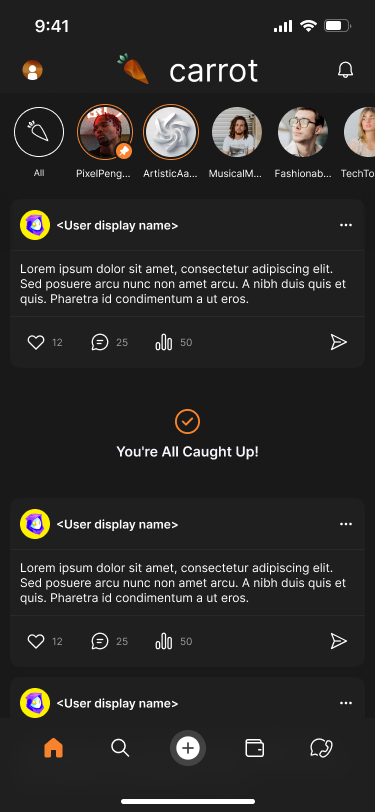
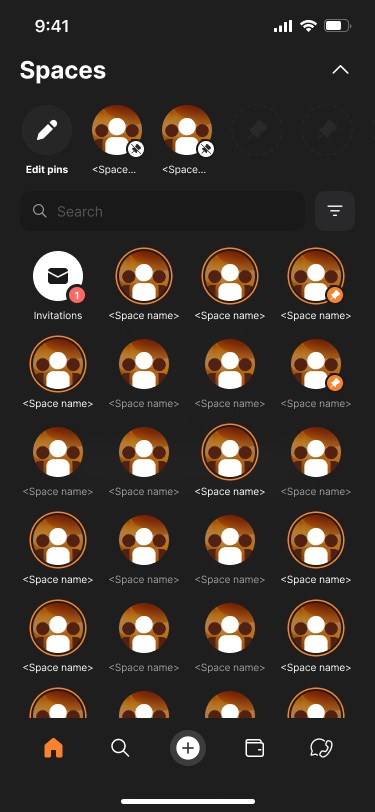
Members need to find a relevant community, understand its access rules, and know what happens after they ask to join.
Connect discovery to clear membership states and give owners the controls to manage access.
The business hypothesis is that relevant discovery and understandable membership states support participation. Owner controls support community operations. The artifacts demonstrate the proposed experience; retention, moderation efficiency, and growth have not been measured here.
MY CONTRIBUTION
This case places my screens within the wider community journey. Spaces and membership flows provide related product context; I do not attribute the entire shared Figma file to my individual work.
I owned home, login, card/post creation, profiles, and settings. The shared-file exports also include Spaces and membership flows for product context. Sample content is preserved from the source. The file records a verification revision; its precise implementation constraint and release status are not documented.
Task model synthesized from member-home and Spaces artifacts. User needs are hypotheses; completed interview evidence is not available.
| Who the experience serves | What they need |
|---|---|
| Exploring member | Find relevant people and Spaces without learning the full product model. |
| Prospective Space member | Understand public access, approval requirements, and the status of a join request. |
| Space owner | Set privacy and membership rules, then review requests in a dedicated workflow. |
Potential friction. A dense feed or unfamiliar navigation can hide Spaces.
Design response. Keep social shortcuts near the feed and provide a dedicated discovery view.
Potential friction. A private Space can look accessible even when approval is required.
Design response. Show context, a privacy label, and a membership-specific action.
Potential friction. A request can feel lost while waiting for approval.
Design response. Persist Request Sent and give owners a separate review surface.
A member finds a Space, examines its context, and chooses the appropriate membership action. Owners manage the approval side of private access.
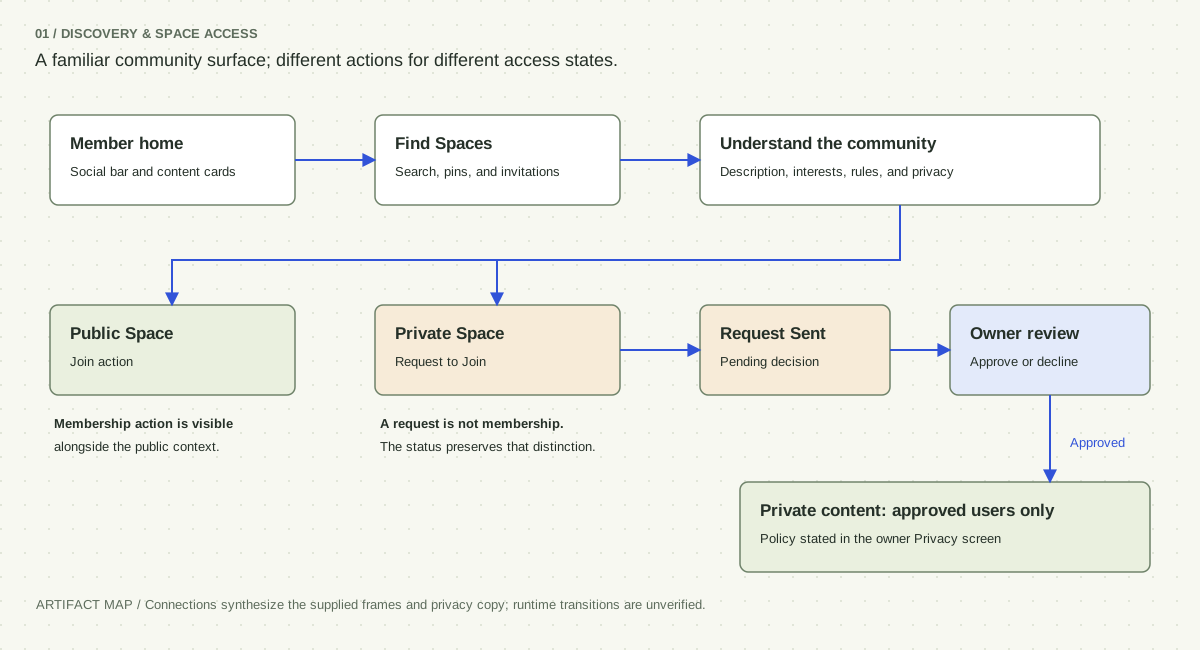
A pending private request replaces the primary action. It should not be confused with accepted membership or a failed action.
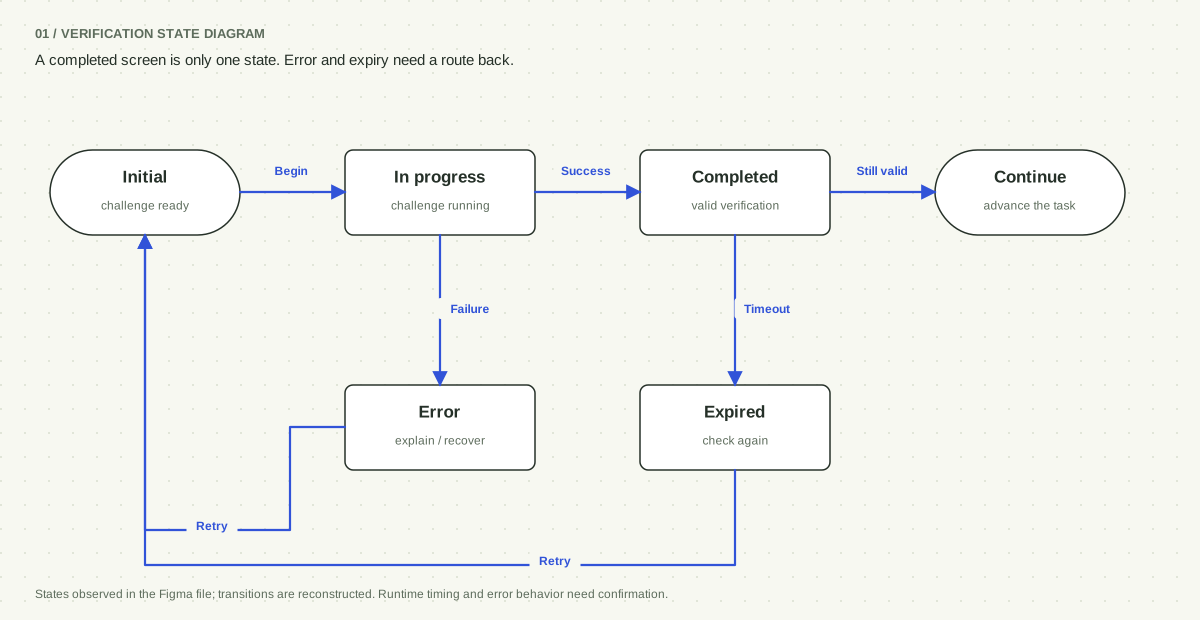
The guest flow preserves completion, expiry, and error states. The accompanying diagram is reconstructed from those authored states.
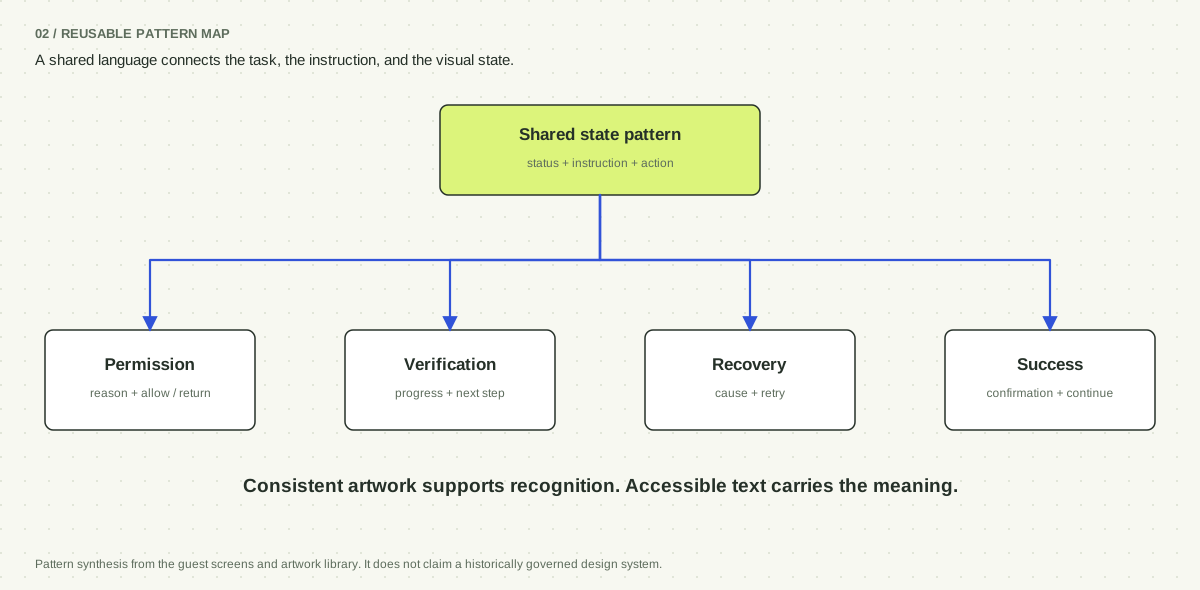
Maps synthesize the authored screens and labels. They describe the design model, not verified production transitions.
Explore the key screens, interaction states, and decisions behind them.
The compact social bar preserves room for the feed. Its expanded view supports returning to familiar Spaces and looking for another community.
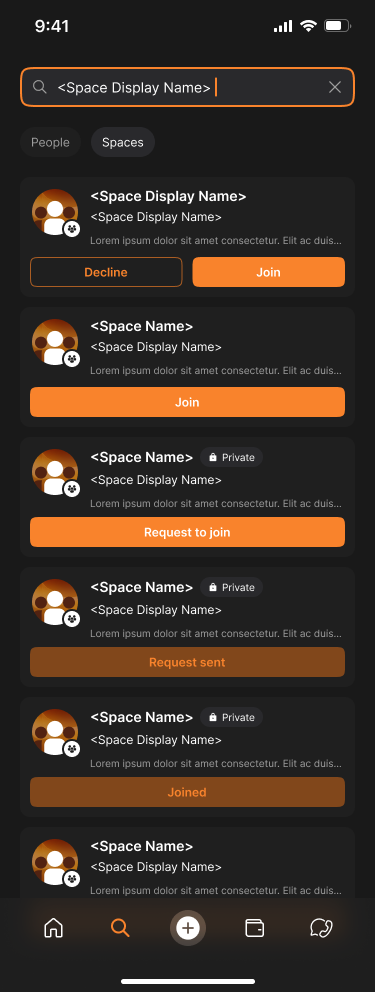
Search results distinguish an invitation, a public join action, a private request, a pending request, and existing membership. Names, counts, and copy are source placeholders.
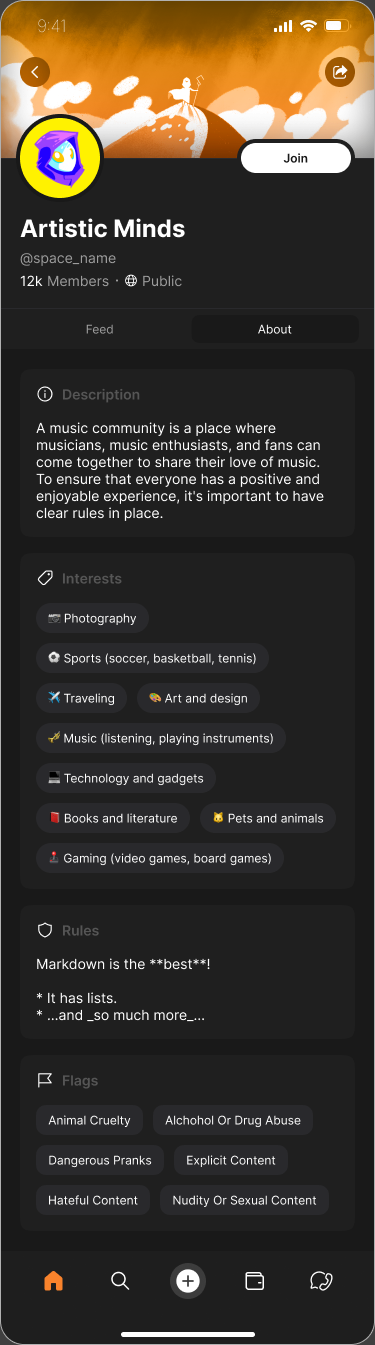
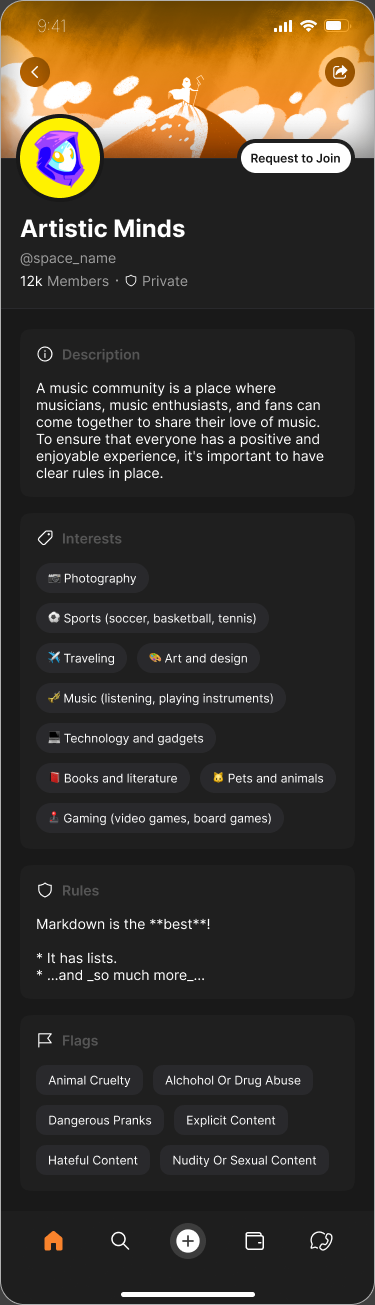
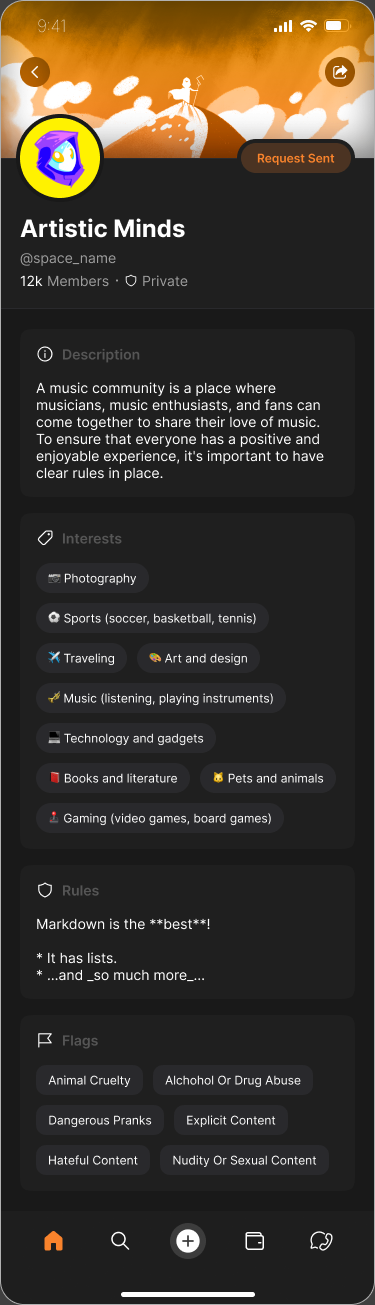
The About surface presents a description, interests, rules, and flags. These help someone assess a community before acting.
Public and private designs change both the privacy label and primary action. This comparison shows authored states; the connecting runtime behavior has not been tested.
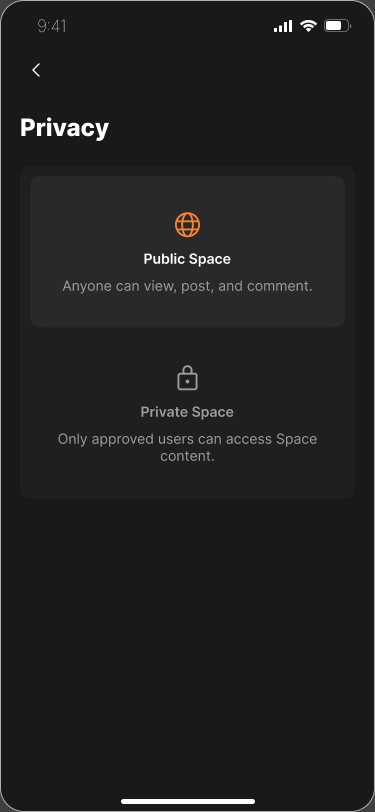
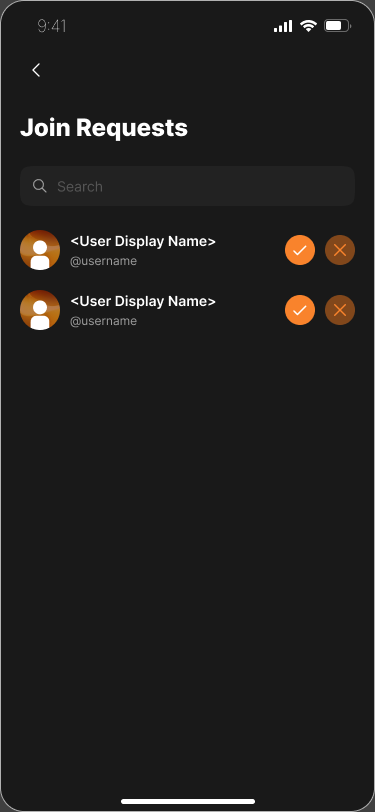
Privacy settings define the access policy. Join Requests gives the owner a place to act on the demand created by private membership requests.
Can owners predict the consequences of changing privacy, and can applicants tell whether they are still waiting? Those are task questions for testing, not results inferred from screens.

Account creation uses the stronger filled treatment.
Log in remains a separate, visible alternative.

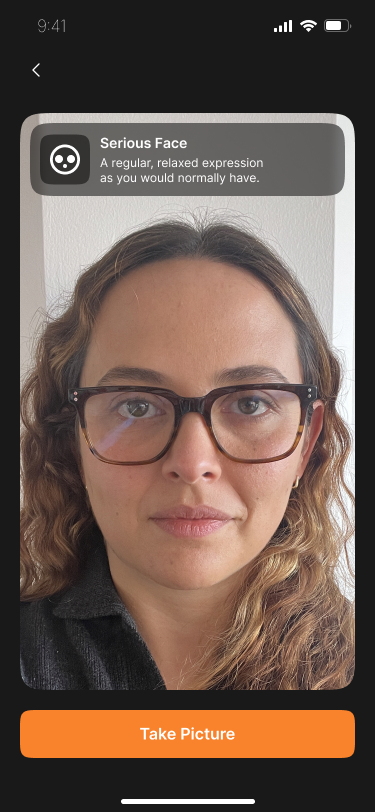
The permission screen ties camera access to the immediate verification task.
The expression guidance stays visible beside the live-image area and capture action.
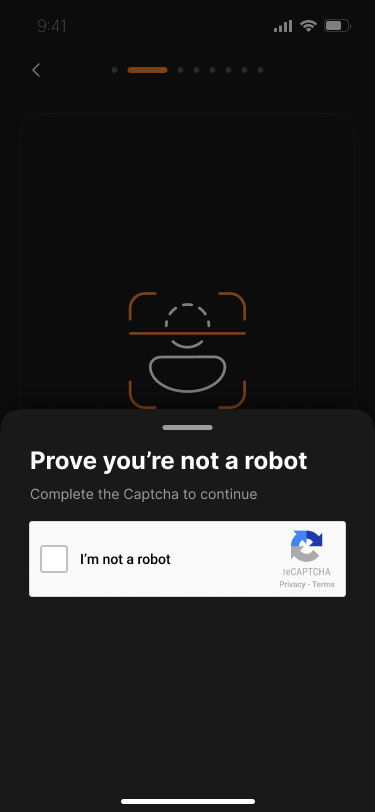
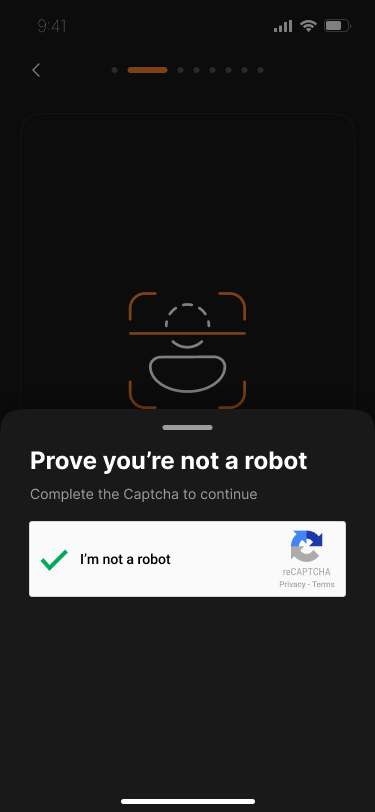
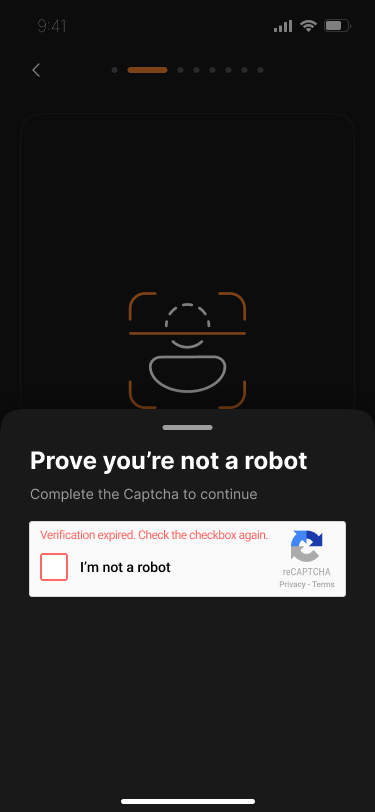
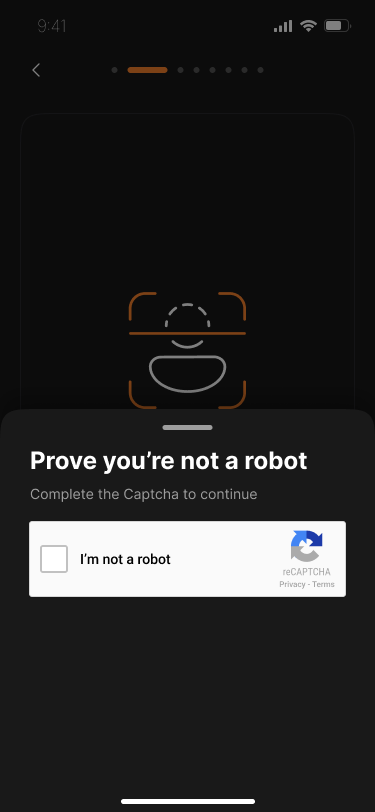
The bottom sheet keeps the challenge in the context of the guest flow.
Expiry includes a concrete retry instruction instead of leaving the person to infer the next step.

Shared color and illustration treatment connect distinct product moments.
Accessible state text must work even when the illustration cannot be perceived.
Design evidence, the reasoning it supports, and the tradeoffs that remain.
DOCUMENTED ITERATION / ORIGINAL FIGMA EXPORTS
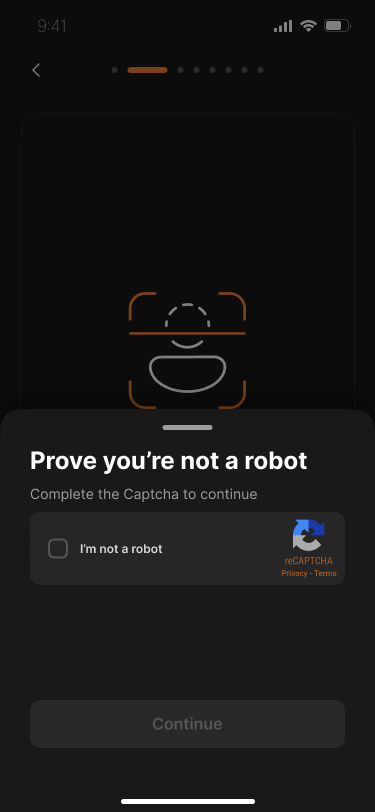
The earlier sheet uses a customized dark verification widget and a separate Continue button. The approved revision uses a standard light widget and removes that separate button while retaining the surrounding explanation.
The revision gives up some visual uniformity. It preserves the product context around the verification step and keeps progressing, completed, expired, and error states in the approved set.
The source labels the earlier section “can’t be developed” and the later section “Approved.” The exact implementation constraint and the reason for each visual change are not recorded.
In the design. Member home includes a horizontal social bar. Its expanded Spaces view has pinned items, invitations, search, and filters; search distinguishes People from Spaces.
Frequently visited communities and broader discovery serve different intentions. A compact entry point preserves room for content while the expanded view supports deliberate exploration.
Pins and status badges can become visually dense. Their meaning and discoverability need task testing with first-time and returning members.
In the design. A public Space shows Join. A private Space shows Request to Join, followed by a separate Request Sent state. Search results also carry these membership states.
The action label sets an expectation about whether participation is immediate or needs another person’s decision. Persistent pending status helps explain why access has not changed yet.
Public visibility, membership, prerequisites, and paid access are separate concepts in the file. Their combinations need an explicit permission model so one label does not promise too much.
In the design. Privacy distinguishes a public Space from one accessible only to approved users. Join Requests offers separate approval and decline actions. The wider owner design includes roles, members, rules, and prerequisites.
A member decides whether to join; an owner decides who can enter and how the community operates. Separate surfaces let each workflow expose the controls it needs.
Changing privacy has consequences for existing members and content. Confirmation, authorization, and the resulting access behavior need implementation agreement.
In the design. The file contains CAPTCHA initial, progressing, completed, expired, and error states. An expired state tells the user to check the checkbox again.
A verification step should not become a dead end simply because it times out. Recovery copy is part of the task model: it tells the person what changed and how to proceed.
The approved set preserves completion, expiry, and error states even though the verification surface changes. Maintaining brand consistency must leave room for implementation constraints.
Retrospective option analysis; these are tradeoffs for review, not claims that every option was tested.
Value. Makes the complete set of requirements visible immediately.
Tradeoff. Combines unrelated decisions and makes errors harder to isolate.
Value. Lets each technical step be implemented independently.
Tradeoff. Can fragment the visual language and leave users unsure of their progress.
Value. Connects entry, permission, verification, and recovery in one consistent experience.
Tradeoff. Requires state mapping, engineering alignment, and careful content governance.
Test the member and owner sides together: discovery, understanding access, recognizing a pending request, and applying a privacy policy. Separate observed task success from an inferred engagement benefit. Verification recovery remains a supporting task.
Proposed task-based scenarios for validation.
| Scenario | What to observe | How the result informs design |
|---|---|---|
| Find a relevant Space from member home. | Can the participant discover the social bar and explain the search results? | Clarify the entry point or simplify overlapping discovery controls if they cannot. |
| Request access to a private Space and explain what happens next. | Whether Request Sent is understood as pending approval. | Strengthen status and notification expectations before adding more engagement features. |
| Review a join request and explain public versus private access. | Whether the owner predicts who can access content after each decision. | Clarify privacy consequences and confirmations before implementation. |
| Recover from an expired verification challenge. | Whether the retry instruction restores progress without restarting. | Resolve recovery barriers before optimizing successful-path speed. |
Participants who find a relevant Space without assistance ÷ participants attempting the task.
Tests whether the feed, social bar, and search provide an understandable route.
Participants who correctly explain public, pending, and joined states ÷ participants shown each state.
Checks expectations before interpreting a click as successful participation.
Participants who correctly predict access after approval or a privacy change ÷ participants attempting the scenario.
Tests the permission model rather than visual preference.
The original files connect member discovery, public and private Spaces, owner controls, and onboarding recovery. They also preserve a documented verification revision. Together these show design depth across member and owner roles; release status and engagement outcomes remain unverified.
A community interface has to explain both a place and a relationship: what this Space is, whether I belong to it, and what I can do next.
I owned home, login, card/post creation, profiles, and settings. The shared-file exports also include Spaces and membership flows for product context. Sample content is preserved from the source. The file records a verification revision; its precise implementation constraint and release status are not documented.