See a familiar operating problem.
Potential friction. A broad platform promise can sound relevant to everyone and specific to no one.
Design response. Pair disconnected tools, manual work, and visibility gaps with concrete responses.
B2B PLATFORM · INFORMATION ARCHITECTURE
Turning a broad AI-enabled platform proposition into a sequence of problems, capabilities, and recognizable use cases.
An interactive platform website that explains how integrations, workflows, business apps, AI, and reporting fit together.
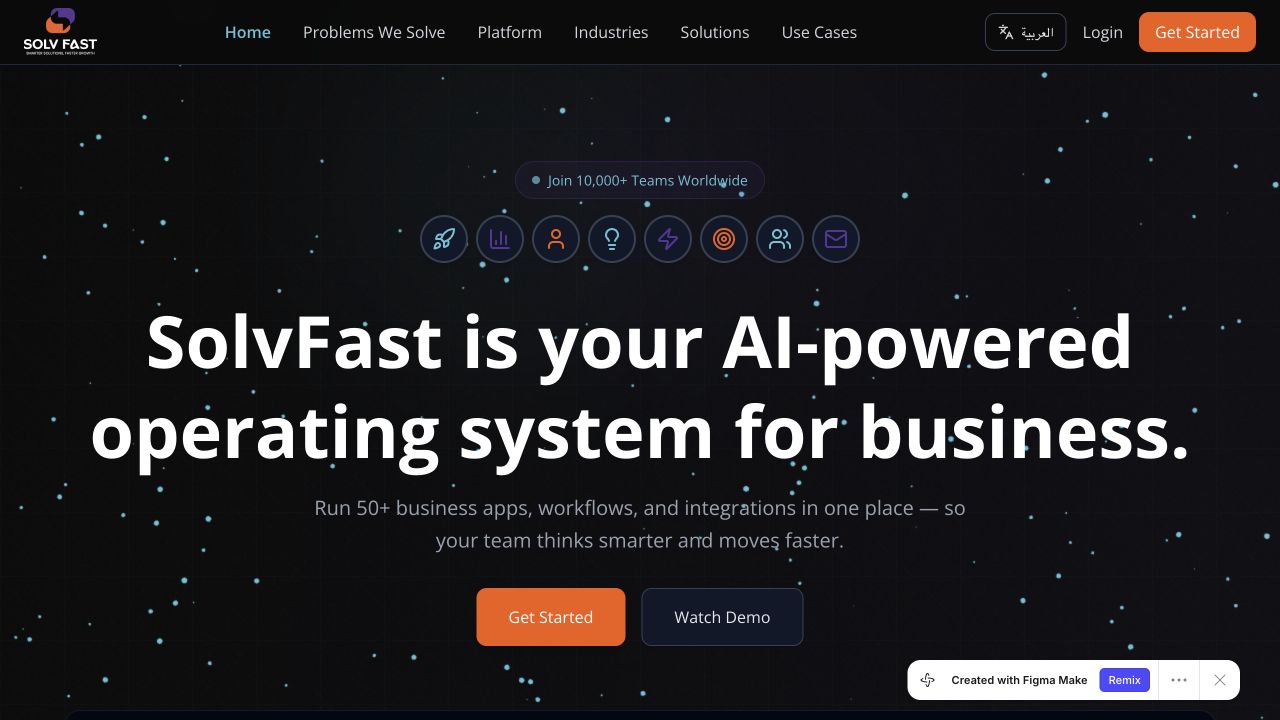
A broad business platform can describe many capabilities without helping a buyer recognize a relevant use case.
Connect a recognizable operational problem to an industry, a solution, and a concrete example.
The working business hypothesis is that clearer problem-to-capability mapping can improve the quality of inquiries and reduce explanation effort during evaluation. The aim is not simply a longer visit. It is a visitor who can articulate a relevant use case and take an appropriate next step.
The source supports the explanation structure and interactive category changes. Platform totals, customer logos, and adoption claims are product copy, not independently verified outcomes of this design.
Buyer-task synthesis based on the website structure, not a record of stakeholder interviews or observed user journeys.
| Who the experience serves | What they need |
|---|---|
| Operations lead | Recognize how the platform could address a recurring workflow bottleneck. |
| Technology evaluator | Understand the relationship between existing systems, integrations, and proposed capabilities. |
| Sector decision-maker | Find examples that resemble their organization’s services and operating context. |
Potential friction. A broad platform promise can sound relevant to everyone and specific to no one.
Design response. Pair disconnected tools, manual work, and visibility gaps with concrete responses.
Potential friction. A list of modules leaves the buyer to infer how the pieces work together.
Design response. Organize the proposition into connected platform pillars.
Potential friction. Sector, solution, and capability categories can overlap.
Design response. Offer contextual entry points and a specific next-step destination.
An operations lead arrives with a recurring approval bottleneck and wants to understand whether the platform can address it.
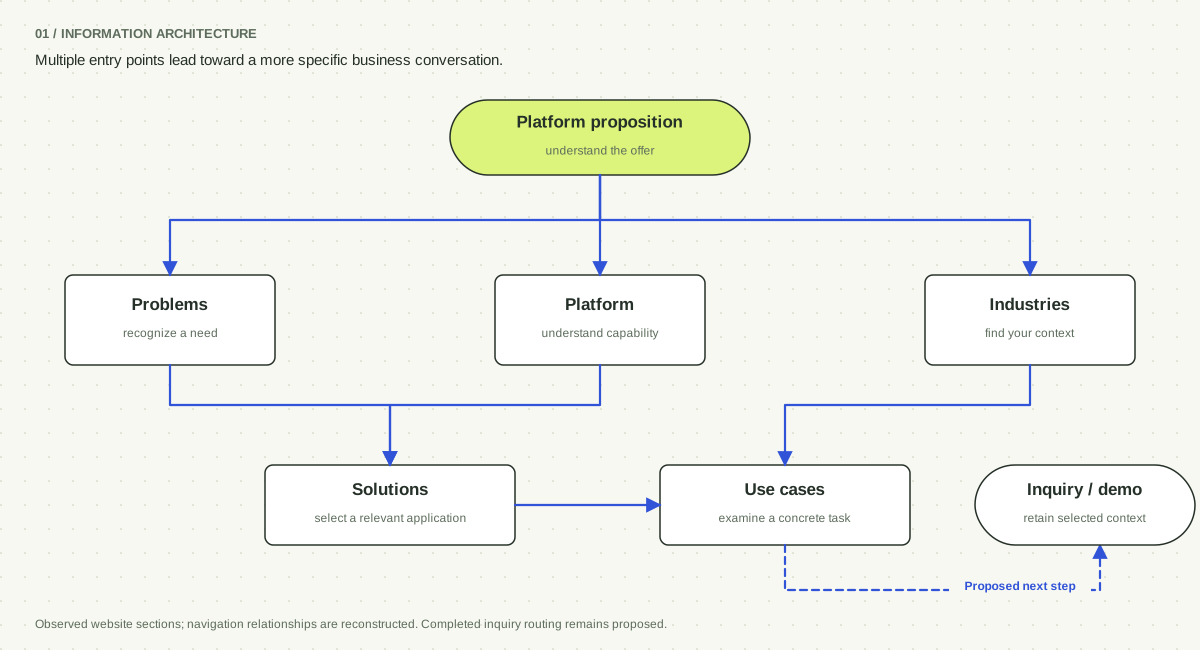
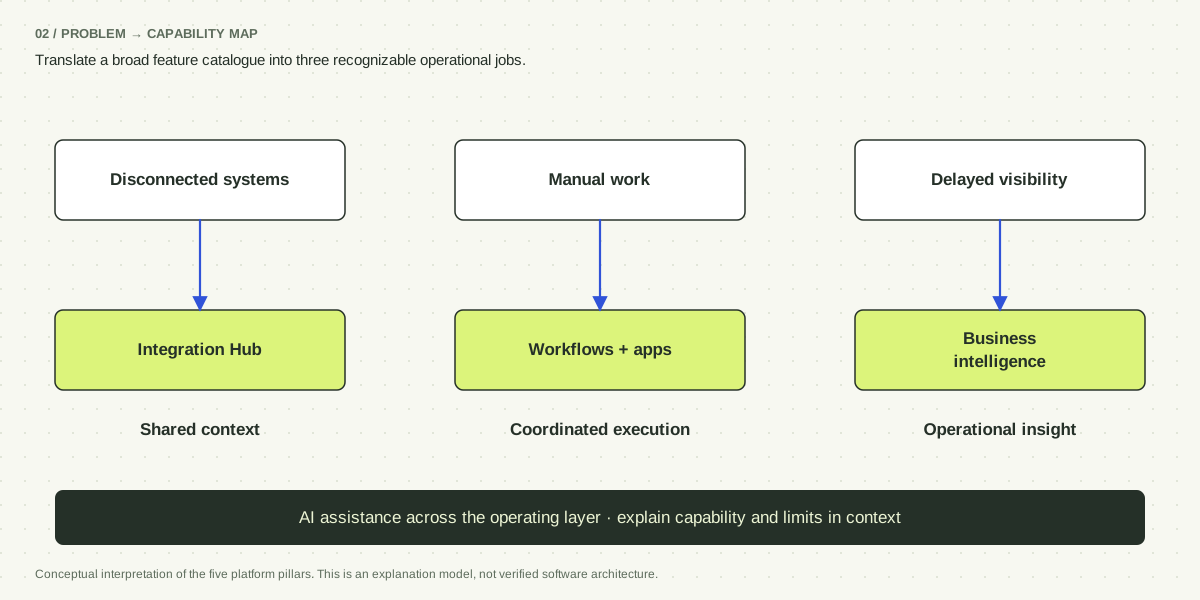
Let a buyer start from their own vocabulary instead of requiring a tour of every platform pillar. The source has sector and solution entry points.
Provide capability detail and implementation questions before commitment. A completed technical-evaluation route remains a proposed extension.
Website architecture reconstructed from observed sections. The final inquiry handoff is proposed because source calls to action include placeholder destinations.
Explore the key screens, interaction states, and decisions behind them.
INTERACTION EVIDENCE / TWO AUDIENCE CONTEXTS
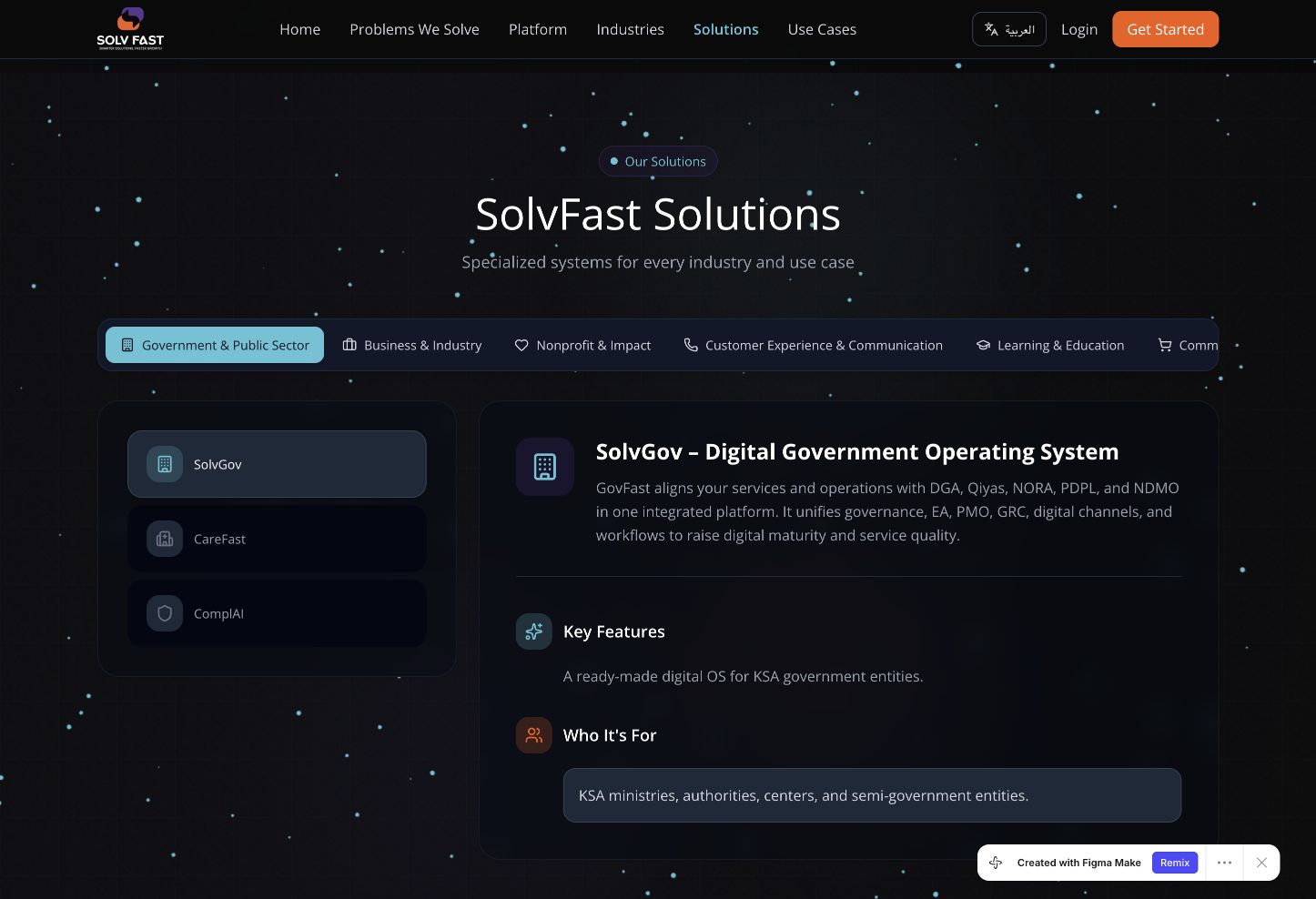
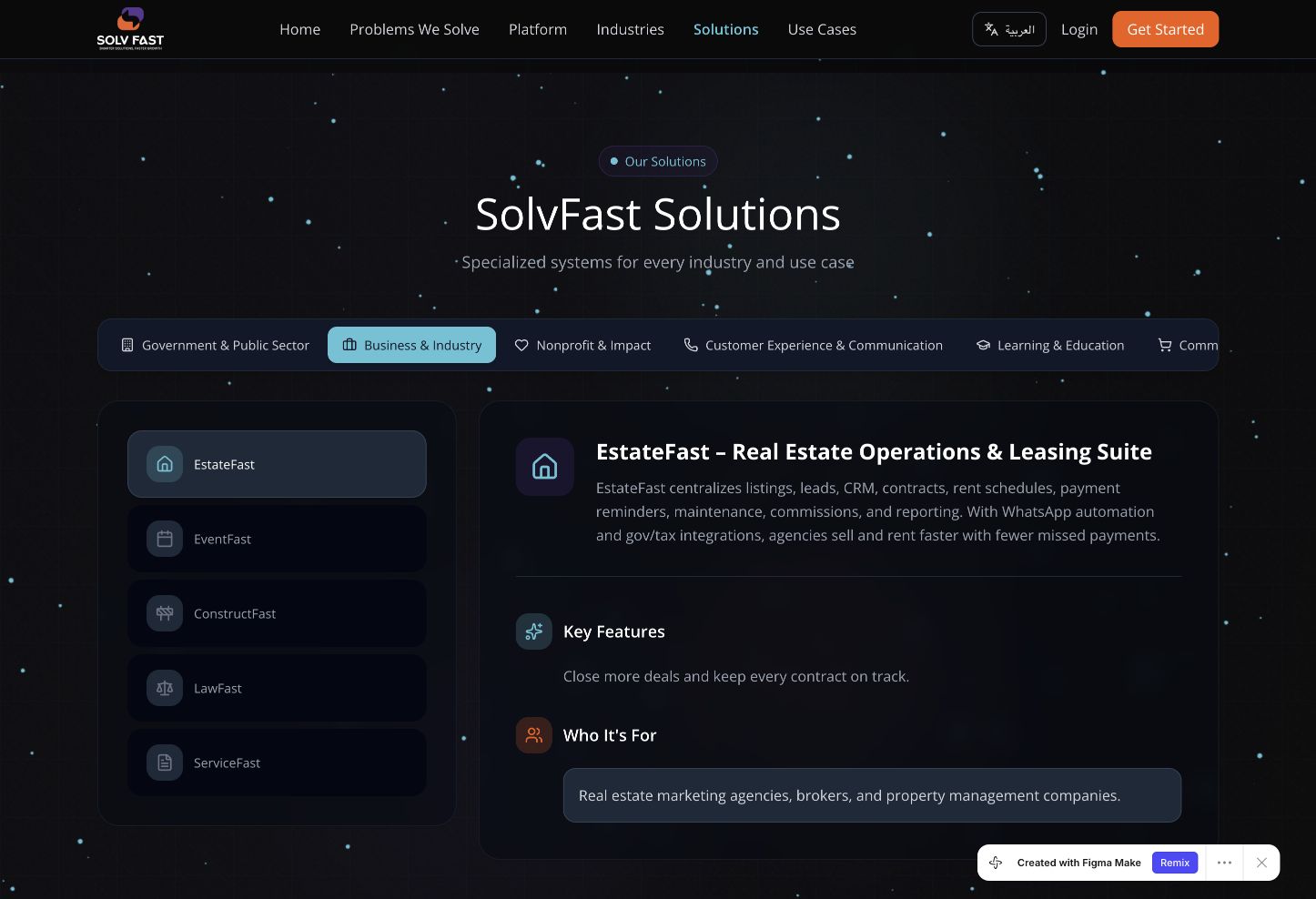
Selecting Business & Industry replaces government solutions with EstateFast, EventFast, ConstructFast, LawFast, and ServiceFast. The detail area keeps the same features-and-audience structure.
Sector categories offer a familiar entry point, but a buyer may belong to more than one. Concrete use cases provide another route when the taxonomy does not fit.
Category switching was observed in the supplied prototype. The screenshots establish content behavior, not buyer comprehension or sales performance.
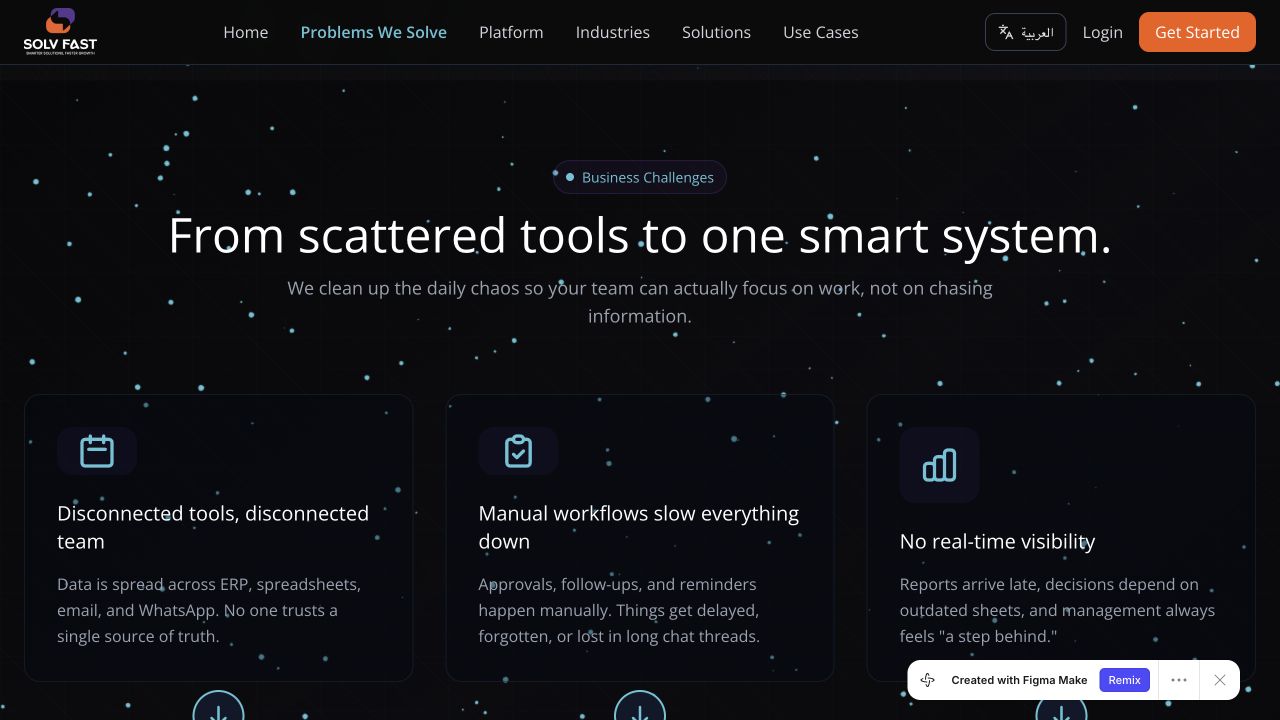
Each challenge is paired with a response instead of an isolated feature name.
The visitor can assess a workflow problem before interpreting the full module inventory.
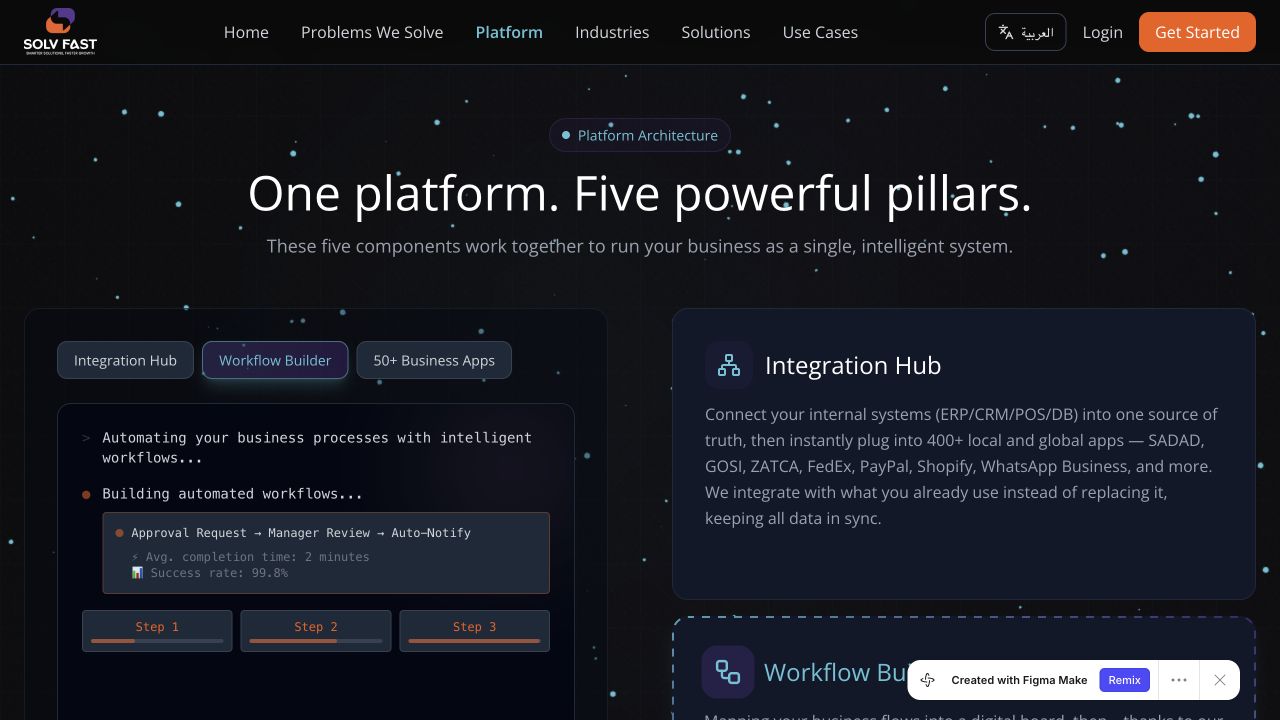
A selectable panel provides an example without exposing every detail at once.
The pillar descriptions explain different roles within the broader platform.
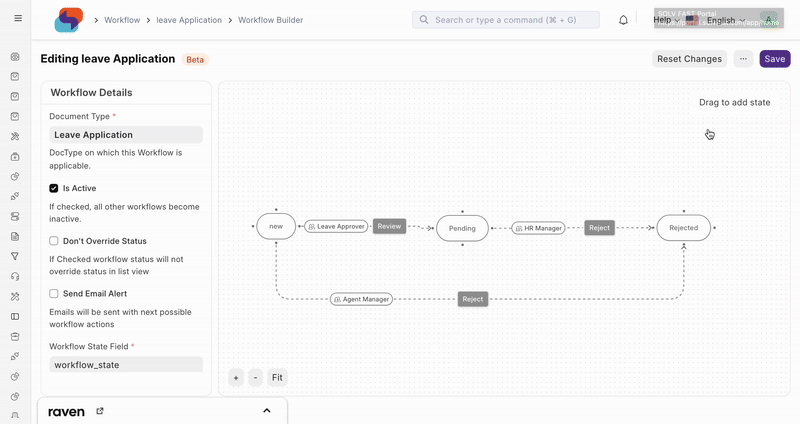
The workflow image illustrates connected steps and decisions.
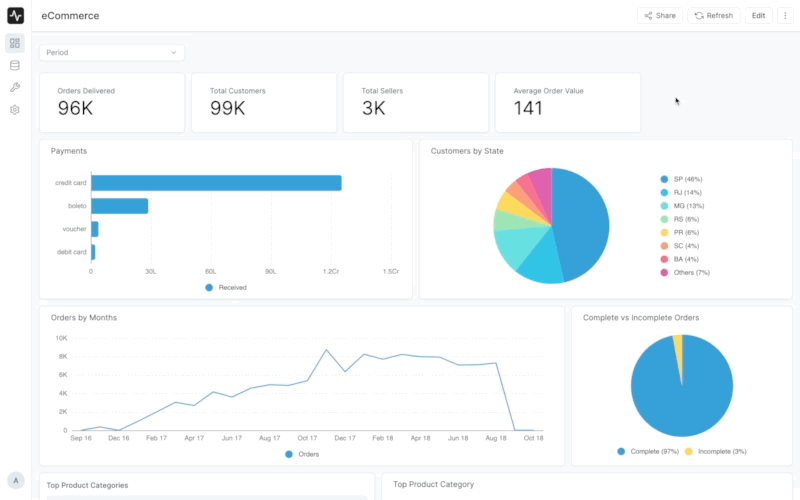
The dashboard image illustrates the monitoring part of the proposition.
Design evidence, the reasoning it supports, and the tradeoffs that remain.
In the design. The website includes a problems section that pairs each challenge with an explanation of the platform’s response.
The rationale is to anchor an abstract platform in familiar situations. Once visitors recognize a problem, the technical capability has a reason to matter.
Broad pain statements can become generic. Concrete examples and precise scope are needed to distinguish the product from other platform propositions.
In the design. Five pillars organize the platform: integration, workflow, business apps, an AI agent, and business intelligence. Interactive panels expose several examples.
A layered model can reduce the burden of remembering a long list. It also supports an important distinction: connecting systems, executing work, and understanding results are different jobs that reinforce one another.
The model should not imply that a buyer must adopt every capability at once. Clear starting points and dependencies would make the explanation more actionable.
In the design. The source groups audiences and provides selectable solution categories plus use-case cards. Examples include public services, nonprofit operations, and business workflows.
A visitor may know their sector or task more readily than a platform module name. Multiple entry points let that person reach a relevant example without first learning the vendor’s terminology.
Several overlapping taxonomies can create repetition. Each category should add a distinct decision aid, with descriptive links and an obvious route forward.
In the design. The source embeds a workflow-builder visual and an operational dashboard example.
A concrete representation helps explain what configuring work and monitoring it might look like. These visuals can connect the marketing language with an interaction model.
An embedded example is not proof that the website designer built the underlying product. Sample dashboard numbers should remain clearly illustrative.
Retrospective option analysis; these are tradeoffs for review, not claims that every option was tested.
Value. Makes platform breadth immediately visible.
Tradeoff. Requires visitors to translate features into their own business needs.
Value. Allows very specific audience messaging.
Tradeoff. Duplicates content and can obscure the common platform model.
Value. Combines one coherent proposition with relevant examples.
Tradeoff. Requires careful taxonomy and consistent routes from exploration to inquiry.
A proposed validation would ask visitors to explain the platform, identify a relevant capability, and choose an appropriate next step. A high interaction count could indicate curiosity or confusion, so behavioral data should be paired with comprehension tasks. Separate language and audience groups when reviewing the results.
Proposed task-based scenarios for validation.
| Scenario | What to observe | How the result informs design |
|---|---|---|
| Explain the platform after exploring the entry page. | Whether a buyer can identify its purpose and one relevant task without repeating slogans. | Revise the proposition if comprehension depends on a facilitator. |
| Find a solution for a nonprofit approval workflow. | First choice, category switching, backtracking, and confidence in the result. | Consolidate overlapping labels if visitors repeatedly search across categories. |
| Move from a relevant use case to an inquiry. | Whether the intended next step is clear and selected context carries forward. | Replace placeholders and define completion before evaluating conversion. |
Participants accurately describing the platform’s purpose and a relevant use case after exploration.
Tests whether the narrative makes a broad offer understandable.
Relevant inquiries or demo requests ÷ visitors expressing a matching need.
Connects discovery with meaningful business interest.
Participants reaching the appropriate solution for a given scenario without assistance.
Tests whether the information architecture supports actual decision-making.
The website prototype connects operational problems to capabilities and audience-specific solutions. Switching categories updates the solution list and detail together. Buyer comprehension and a production inquiry funnel still need validation.
For a broad platform, information architecture is part of the sales conversation. The strongest explanation helps a buyer connect their own problem to a specific capability and understand a sensible next step.
The source supports the explanation structure and interactive category changes. Platform totals, customer logos, and adoption claims are product copy, not independently verified outcomes of this design.